With Blender you can create awesome animations and other cool things. Check it out at http://www.blender.org/

The "Geek" Blog. -The latest in tech, computers, software, and internet as we give you the best prices, sites, pictures and much more. We Also have the best open source software on the net!! Click here for more info-

Posted by
Anonymous
at
7:03 PM
0
comments
Welcome to Songbird! Songbird is a media-managing app(like itunes) but it is open source and free!! It works with ipods (EXCEPT iPod Touch and iPhone) , and it is built around firefox, one of the best web browsers you can find! It is still not a completely ready project yet (in version 0.4 and getting updated). I love this application, and I use it in linux to put songs on my iPod Video 5G (even though it does not support uploading movies
). But it is a great tool, especially for linux! Try it! Good luck!
-Yash Aggarwal
Posted by
Budgetperson
at
5:32 AM
0
comments
Labels: Free Software Of The Day: Songbird itunes ipod songs free software
Here at 22tech, we love the idea of making your own pc's. Why? Because they provide a great amount of customization for a REALLY cheap price! But how can you get the perfect best gaming setup?? Here is our parts list for a $900 beauty, and all parts are from Newegg!
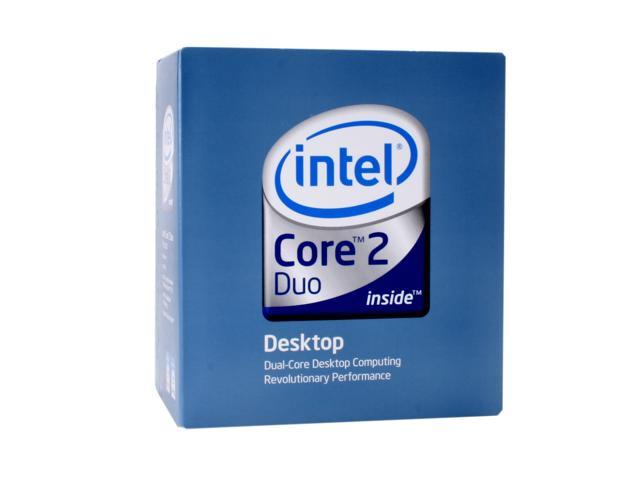
1. CPU - Obviously, you need a core 2 duo, but which one? You can get the pentium dual cores that OC very easily, you can get the e4xxx series, or you can get the more expensive e6xxx series. For our purposes, we picked up a e6, it is the lowest e6xxx series with 4mb of cache. It is not that overclockable, but you could easily get it to 3-3.5 GHz.
2. Motherboard - For the motherboard you really need a p35 chipset, it is a midrange, not too expensive board, but it is reliable, fast, and overclocks well. It doesn't support SLI, but you really do not need sli for midrange, right? But if you REALLY wanted sli, you could go a little bit more for a 680i chipset, but that does not support penryn quads :(. For our p35 board , we chose the ABIT ip35-e.
3. RAM - 4 gigs in $800!! No way!! But yes way! This awesome set of OCZ 4gb ddr2 800 will do you well, and it's only $66 after rebates!!!
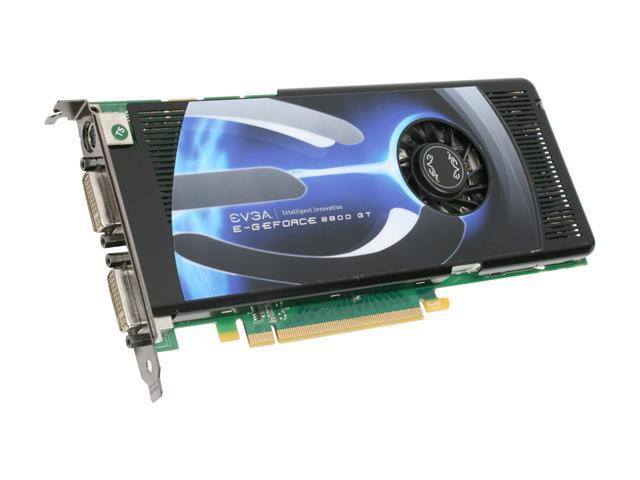
4. Video Card - This is a no-brainer, the evga 8800gt is the best budget-midrange vidcard!
Posted by
Budgetperson
at
7:31 PM
2
comments
Labels: Make the perfect gaming pc build computer games intel motherboard 8800 gt
Today's Open source of the day is PortableApps!
PortableApps is a suite (like U3) that runs off of your thumbdrive/USB Mass storage device, but it is completely FREE! I use this all the time with my Flash Voyager 4gb and it works like a charm. There are a lot of apps supporting it and you can add new ones easily (by going to program files directory and copying folders to ?:/PortableApps.)
Try it out, it works great!!
Posted by
Budgetperson
at
3:37 PM
1 comments
Posted by
Anonymous
at
4:15 PM
0
comments
Free Software Of The Day: Ubuntu
Posted by
Anonymous
at
3:36 PM
0
comments
Labels: Free Software Of The Day Ubuntu linux free software computers
First off, I would like to anounce that our blog is now 100% Ad Free!!!
Posted by
Anonymous
at
4:31 PM
0
comments
Labels: Audacity: Free Audio Editor and Recorder sound songs
Microsoft Flight Simulator 2004 Review
Posted by
Anonymous
at
2:58 PM
0
comments
Labels: Microsoft Flight Simulator 2004 Review game computer online flying joystick
All of you hardcore users will know what a Virtual Machine is, if you don't know, it is a program that can let you run operating systems inside your operating system virtually (hardware emulation). The main Virtual Machine software is Vmware, and vmware player, etc. But today we are going to focus on VirtualBox, my favorite Virtual Machine software, and it is probably also the easiest to use!
In this post, I will show you where to get VirtualBox, and I will do a step-by-step tutorial using Vista. (In a linux envirornment).
1st of all, to download VirtualBox, go here.
Ubuntu users can download from there, and also do "sudo apt-get install VirtualBox"
Now load VBox. You should get this -
Now, click the button that says "New" and you should get this (click to enlarge) -
Just hit next and select the name of your vm (can be anything) and select your operating system you want to emulate. Then hit next and select the amnt of RAM you want to dedicate to a VM. This is your descision, it all depends how much RAM you have and how much you can sacrifice. Of course, for Vista, we do not recommend anything less than 1gb, but for some ppl that is ALL of their RAM!! After that click "New" on the hard disk page, I strongly recommend Dynamically Expanding Image, and from then on it should be easy, and now your screen should look like this-
But we are STILL not done yet. Click on CD/DVDROM, and choose your cd/dvd drive (or an iso file). You can also setup audio and other things (like networking, but should be automatic).
That's all for now, and we will wrap it up in another post!!!
Posted by
Budgetperson
at
10:57 AM
0
comments
Labels: Virtual Machines linux
http://newwavevideogames.blogspot.com/
Here is a Roller Coaster Tycoon Blog!- http://rctvideos.blogspot.com Vote For Us!!
Rate Me on BlogHop.com!
help?