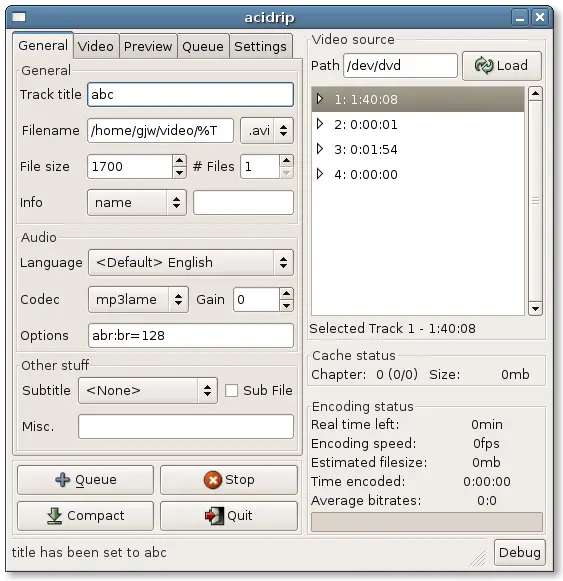
Yet another open source of the day is on its way, and this time we chose Acidrip! Acidrip is a dvd burner (linux only) that will take a dvd and put it in an avi format. It has a lot of different options, you can set the file size, the number of files you want it to create, you can choose a specific title to rip, etc. It is a great program that I use for ripping all of my dvd's!

Sunday, January 27, 2008
Free Software Of The Day: Acidrip


Convert any dvd/video file into another video file using free tools!
In today's howto, I will show you how to conver any dvd or video file into another video file (or dvd9 to dvd5) for absolutely FREE using free tools. Here are the tools we will be using
1. DVDFab HD decrypter (it may look a bit pricey, but after the trial expires it can still do the things we need it to do)
2. Handbrake, the utility for ripping dvd's
3. SUPER(C) , a program that lets you convert video formats to any other video format.
1 - How to rip your dvd's.
1a. Insert your dvd
1b. Open dvdfab, go into main movie and select the movie, and let it rip the dvd to your hard drive
1c. Open Handbrake, and browse to the video_ts dir of where dvdfab saved your dvd
1d. Configure your settings (Remember to click the show presets button)
1e. Let handbrake rip the dvd to your hard drive .. wait .. on an intel core 2 duo e4300 @ 2.25ghz cpu it took about 30-45min.
1f. Enjoy your new dvd! If you want it on your ipod, then just drag the mp4 into iTunes and enjoy! ;)
2. Use Super (C) to convert any video file into any other video file you want! This also applies to audio files, so relax and enjoy!
These programs will do better than any commercial app you can find! Handbrake works in linux, dvdfab runs easily uner wine, and SUPER(C) .. i dont know, I only know that all of these also work in vista.
Enjoy your ripped dvd's ;)
-Budgetperson
Thursday, January 17, 2008
Open Source of the Day : Wine
Welcome to yet another open source of the day. This time the lucky winner is WINE . (Standing for Wine Is Not an Emulator). Wine is an emulator that enables SOME windows-designed products to work with linux, such as winrar, finale notepad 2008, etc.
It is not hardware emulation, so it does not slow down old computers as much as much as using a VM like vmware. Wine can not play all windows apps, you can check out the wine app database to see if you app works in wine. The operating systems it supports are linux and mac.
You can get wine from www.winehq.org.
Enjoy!

Wednesday, January 16, 2008
Macbook Air
The All New Macbook Air.
"The Worlds Thinnest notebook."
Today Apple introduced some all new products, including the new macbook air.
Today Apple introduced some all new products, including the new macbook air.
The Price ranges form $1,799.00 to $3,098.00 and this new comoputer is amazing. Here is a video ad-
Technical Specifications
Size and weight
- 0.16-0.76 inch (0.4-1.94 cm)
- Width:
- 12.8 inches (32.5 cm)
- Depth:
- 8.94 inches (22.7 cm)
- Weight:
- 3.0 pounds (1.36 kg)1

Processor and memory

Intel Core 2 Duo processor with 4MB on-chip shared L2 cache running at full processor speed
- 800MHz frontside bus
- 2GB of 667MHz DDR2 SDRAM onboard

- 80GB 4200-rpm Parallel ATA hard disk drive2
- Optional 64GB solid-state drive2
- Optional external USB MacBook Air SuperDrive

Environmental status report
MacBook Air embodies Apple’s continuing environmental progress. It consumes the least amount of power of any Mac and is also designed with the following features to reduce environmental impact:
Highly recyclable aluminum enclosure
Mercury-free LCD display with arsenic-free glass
PVC-free internal cables
Largely recyclable, low-volume packaging

Meets ENERGY STAR requirements

MacBook Air received a Silver rating from EPEAT
Display

13.3-inch (diagonal) glossy widescreen TFT LED backlit display with support for millions of colors
Supported resolutions: 1280 by 800 (native), 1152 by 720, 1024 by 768, 800 by 600, 800 by 500, 720 by 480, and 640 by 480 pixels at 16:10 aspect ratio; 1024 by 768, 800 by 600, and 640 by 480 pixels at 4:3 aspect ratio; 720 by 480 pixels at 3:2 aspect ratioGraphics and video support
Pure digital video output
DVI output using micro-DVI to DVI adapter (included)VGA output using micro-DVI to VGA adapter (included)
Composite output using micro-DVI to video adapter (optional)
S-video output using micro-DVI to video adapter (optional)
Extended desktop and video mirroring: Simultaneously supports full native resolution on the built-in display and up to 1920 by 1200 pixels on an external display, both at millions of colors

Built-in iSight camera
Input
- Built-in full-size keyboard with 78 (U.S.) or 79 (ISO) keys, including 12 function keys, 4 arrow keys (inverted “T” arrangement), and embedded numeric keypad
- Backlit keyboard with ambient light sensor for automatic adjustment of keyboard illumination and screen brightness
- Solid-state trackpad with multi-touch gesture support for precise cursor control; supports two-finger scrolling, pinch, rotate, swipe, tap, double-tap, and drag capabilities

href="360.html"
Wireless

Built-in AirPort Extreme Wi-Fi wireless networking (based on IEEE 802.11n draft specification); IEEE 802.11a/b/g compatible

Built-in Bluetooth 2.1 + EDR (Enhanced Data Rate)
Peripheral connections

Audio
- Analog audio output/headphone out (minijack)
- Built-in mono speaker
- Built-in omnidirectional microphone
Battery and power3

Integrated 37-watt-hour lithium-polymer battery
45W MagSafe power adapter with cable management system
MagSafe power adapter port
Electrical and operating requirements
- Line voltage: 100V to 240V AC
- Frequency: 50Hz to 60Hz
- Operating temperature: 50° to 95°F (10° to 35°C)
- Storage temperature: -13° to 113°F (-24° to 45°C)
- Relative humidity: 0% to 90% noncondensing
- Maximum operating altitude: 10,000 feet
- Maximum storage altitude: 15,000 feet
- Maximum shipping altitude: 35,000 feet
Installed software
- Mac OS X v10.5 Leopard (includes Time Machine, Quick Look, Spaces, Spotlight, Dashboard, Mail, iChat, Safari, Address Book, QuickTime, iCal, DVD Player, Photo Booth, Front Row, Xcode Developer Tools)
- iLife ’08 (includes iTunes, iPhoto, iMovie, iDVD, iWeb, GarageBand)
What’s in the box
- MacBook Air
- Micro-DVI to DVI adapter
- Micro-DVI to VGA adapter
- Cleaning/polishing cloth
- MagSafe power adapter
- Install/restore DVDs
- Printed documentation

Tuesday, January 15, 2008
Free Software Of The Day: Blender

"So, can i really get one of the most advanced and best programs on the internet, for free ???"
With Blender you can create awesome animations and other cool things. Check it out at http://www.blender.org/

Well my answer to that question, is yes.
With Blender you can create awesome animations and other cool things. Check it out at http://www.blender.org/
Monday, January 14, 2008
Free Software Of The Day: Songbird


-Yash Aggarwal

Saturday, January 12, 2008
Make the perfect gaming pc
Here at 22tech, we love the idea of making your own pc's. Why? Because they provide a great amount of customization for a REALLY cheap price! But how can you get the perfect best gaming setup?? Here is our parts list for a $900 beauty, and all parts are from Newegg!
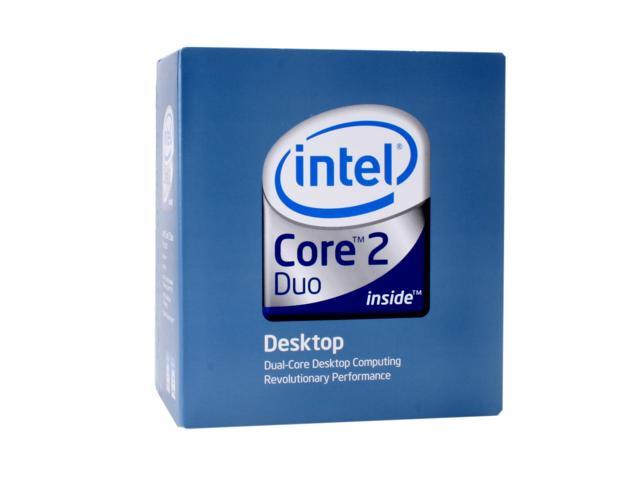
1. CPU - Obviously, you need a core 2 duo, but which one? You can get the pentium dual cores that OC very easily, you can get the e4xxx series, or you can get the more expensive e6xxx series. For our purposes, we picked up a e6, it is the lowest e6xxx series with 4mb of cache. It is not that overclockable, but you could easily get it to 3-3.5 GHz.
2. Motherboard - For the motherboard you really need a p35 chipset, it is a midrange, not too expensive board, but it is reliable, fast, and overclocks well. It doesn't support SLI, but you really do not need sli for midrange, right? But if you REALLY wanted sli, you could go a little bit more for a 680i chipset, but that does not support penryn quads :(. For our p35 board , we chose the ABIT ip35-e.
3. RAM - 4 gigs in $800!! No way!! But yes way! This awesome set of OCZ 4gb ddr2 800 will do you well, and it's only $66 after rebates
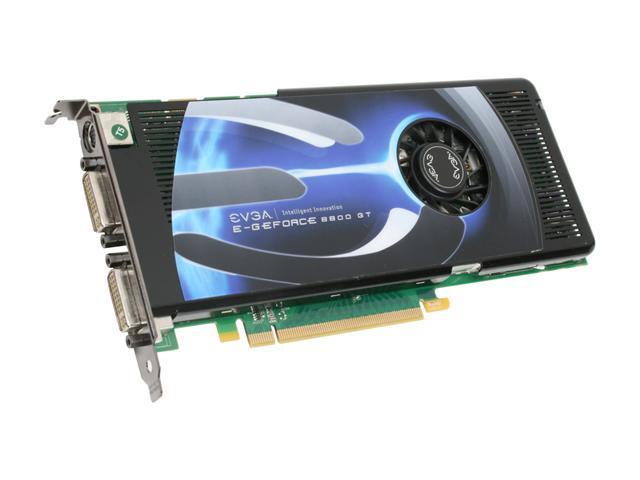
4. Video Card - This is a no-brainer, the evga 8800gt is the best budget-midrange vidcard!
If you want something a little bit cheaper than that, you could go with an 8800gts . ($220 before $200 after rebate) or a HD3870. ($240) If you want something ULTRA cheap you could go with a HD3850, which will also give reasonable performance.
5. Case and Power Supply - We chose the Antec Sonata III because of the great PSU included with it and a solid, cheap case. (PSU is Earthwatts 500W). And to add to the value, it is only $90 after MIR!!! (Same as the original earthwatts)
6. CD/DVD drive - Who could forget the cd/dvd drive? We chose the SH-S203N. The predecessor of it was the MPC best of the best award, and it is CHEAP! For maximum performance, we chose two of them, which would be about $60.
7. OS - Not included! All you need to do is borrow an XP cd from a friend, then deactivate xp on your current machine, then install XP on your new PC! If you do not want to do that, then pick up winxp home (IMO you do not need pro). It is about $90 on newegg, you can get pro for $70 (upgrade) if you are an academic student.
So total that comes to about $920, not including rebates or s&h. We hope you enjoyed! If you have other ideas or disagree with our thoughts, please post in the comments section.
5. Case and Power Supply - We chose the Antec Sonata III because of the great PSU included with it and a solid, cheap case. (PSU is Earthwatts 500W). And to add to the value, it is only $90 after MIR!!! (Same as the original earthwatts)
6. CD/DVD drive - Who could forget the cd/dvd drive? We chose the SH-S203N. The predecessor of it was the MPC best of the best award, and it is CHEAP! For maximum performance, we chose two of them, which would be about $60.
7. OS - Not included! All you need to do is borrow an XP cd from a friend, then deactivate xp on your current machine, then install XP on your new PC! If you do not want to do that, then pick up winxp home (IMO you do not need pro). It is about $90 on newegg, you can get pro for $70 (upgrade) if you are an academic student.
So total that comes to about $920, not including rebates or s&h. We hope you enjoyed! If you have other ideas or disagree with our thoughts, please post in the comments section.
Tuesday, January 8, 2008
Free Software Of The Day:PortableApps
Today's Open source of the day is PortableApps!
PortableApps is a suite (like U3) that runs off of your thumbdrive/USB Mass storage device, but it is completely FREE! I use this all the time with my Flash Voyager 4gb and it works like a charm. There are a lot of apps supporting it and you can add new ones easily (by going to program files directory and copying folders to ?:/PortableApps.)
Try it out, it works great!!

Monday, January 7, 2008
Aces High 2

Aces High 2
Aces HIgh 2 is one of the best games on the net. Its based on ww2 combat. Its a online game, with many diffrent features. This is on my "must have" list.
For more 22 century technology videos goto http://www.youtube.com/profile?user=22techblog
For more about Aces High or to download goto http://flyaceshigh.com/
Subscribe to:
Posts (Atom)


